Pets get lost. It happens to even the most careful owners — a door left ajar, a leash slipping, a moment of distraction. When it does, every minute counts. That's why we built Public Pet Profiles: a dedicated page for your pet that anyone can reach just by scanning a QR code on their tag, no app or account required.
How it works
Each pet in PetMemo gets a unique, private link — a URL built around a random token, not a guessable ID. You decide whether to make it public. When you do, PetMemo generates a QR code you can print, stick on a tag, or save to your phone.
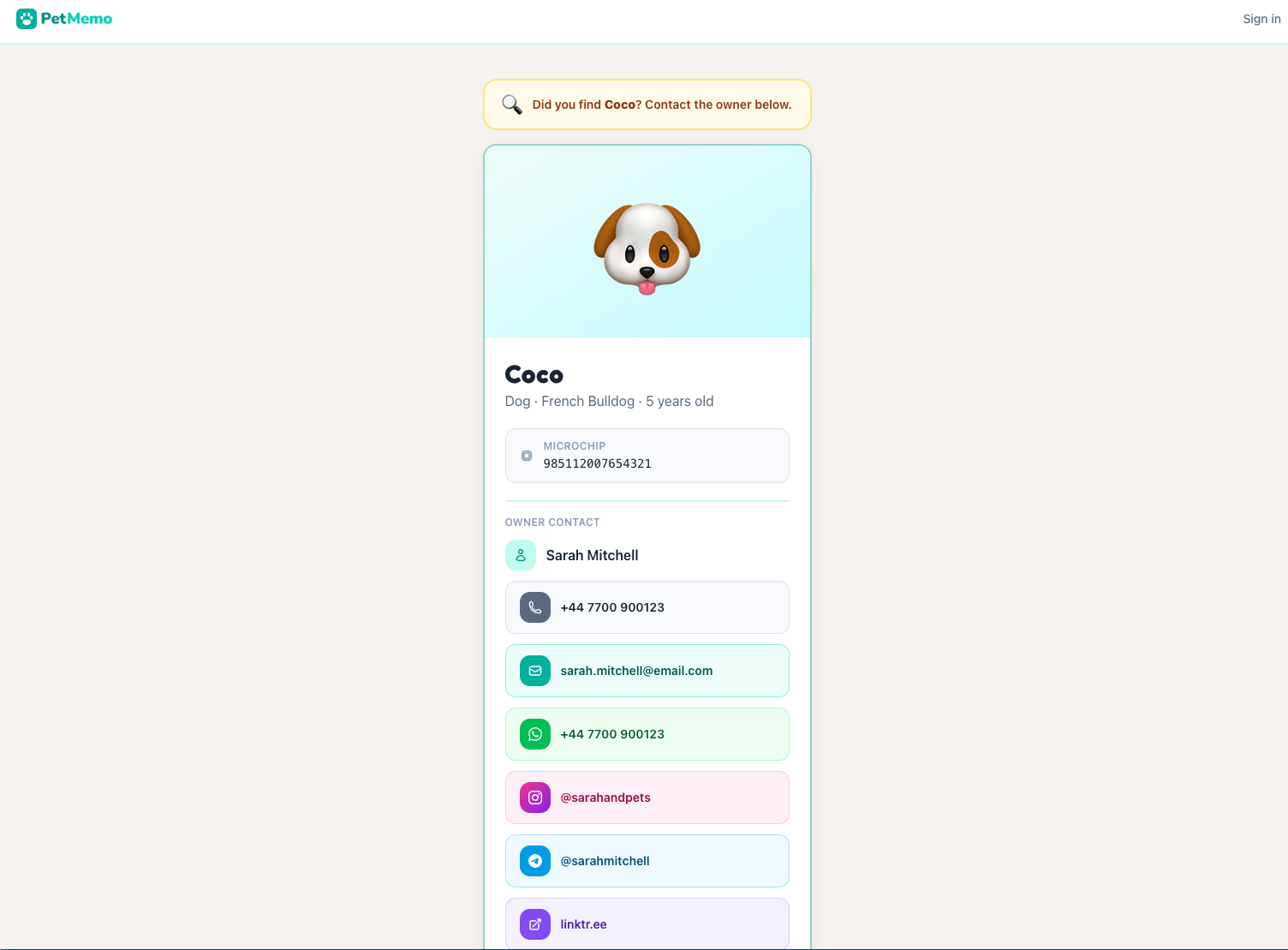
Anyone who finds your pet scans the code and lands on a clean page showing:
- Your pet's name, species, breed, and age
- Their photo (or a friendly emoji if you haven't uploaded one)
- Microchip number — useful for vets and shelters
- Your contact details: phone, email, WhatsApp, Instagram, Telegram, or any other link
Your contact email on the public profile can be different from the one you use to log into PetMemo. Set a dedicated contact address — or add your WhatsApp so someone can message you instantly.
The QR code on your pet's profile
Inside PetMemo, you'll find the Public Profile section right below your pet's main info card. Toggle it on and the QR code appears immediately — ready to copy, share, or print.
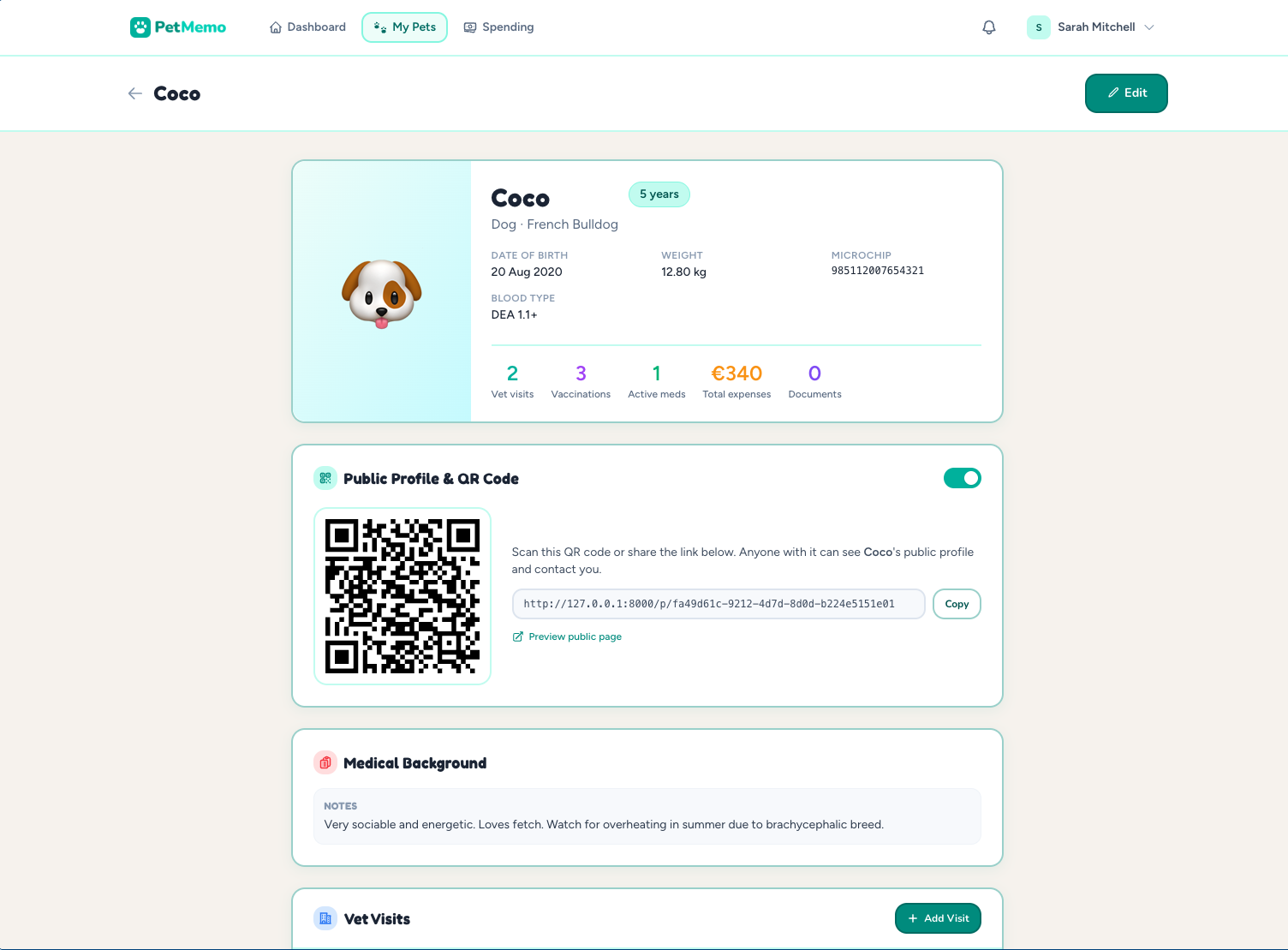
The public profile is off by default. You control exactly which pets have a public page. If you ever want to revoke access, toggle it off — the link stops working immediately.
Set up your contact info once
Head to Settings → Public Contact Info to add the details you want to appear on all your pets' public profiles. You can add:
Phone
For a direct call
A contact-only address
For quick messaging
Your handle
Telegram
Your username
Other link
Website, Linktree, etc.
Only the fields you fill in are shown on the public page — so if you don't add an Instagram handle, it simply won't appear. No clutter, no empty slots.
What's not shown
The public profile is designed to help someone return your pet — nothing more. It deliberately excludes everything that should stay private: vet visit history, medical conditions, expenses, documents, and medications. Even with the public profile enabled, that data is only visible to you inside PetMemo.
🐾
Set up your pet's profile today
Public profiles and QR codes are free for all PetMemo users. Log in and enable it on any of your pets in under a minute.
Open PetMemo